To secure a WordPress site, update everything, delete the plugins you don't use, and turn on multi-factor authentication for every admin account and the email behind it. Those three moves close the routes attackers use most, and you can start on them today.
Core is rarely the weak spot, but 2026 showed it can be. In July, a flaw let attackers take over a default WordPress install with no login and no plugin. ASD's Australian Cyber Security Centre (ACSC) has also issued two alerts this year on compromised WordPress sites and plugins. Waiting isn't a plan.
7 ways to keep your WordPress website secure
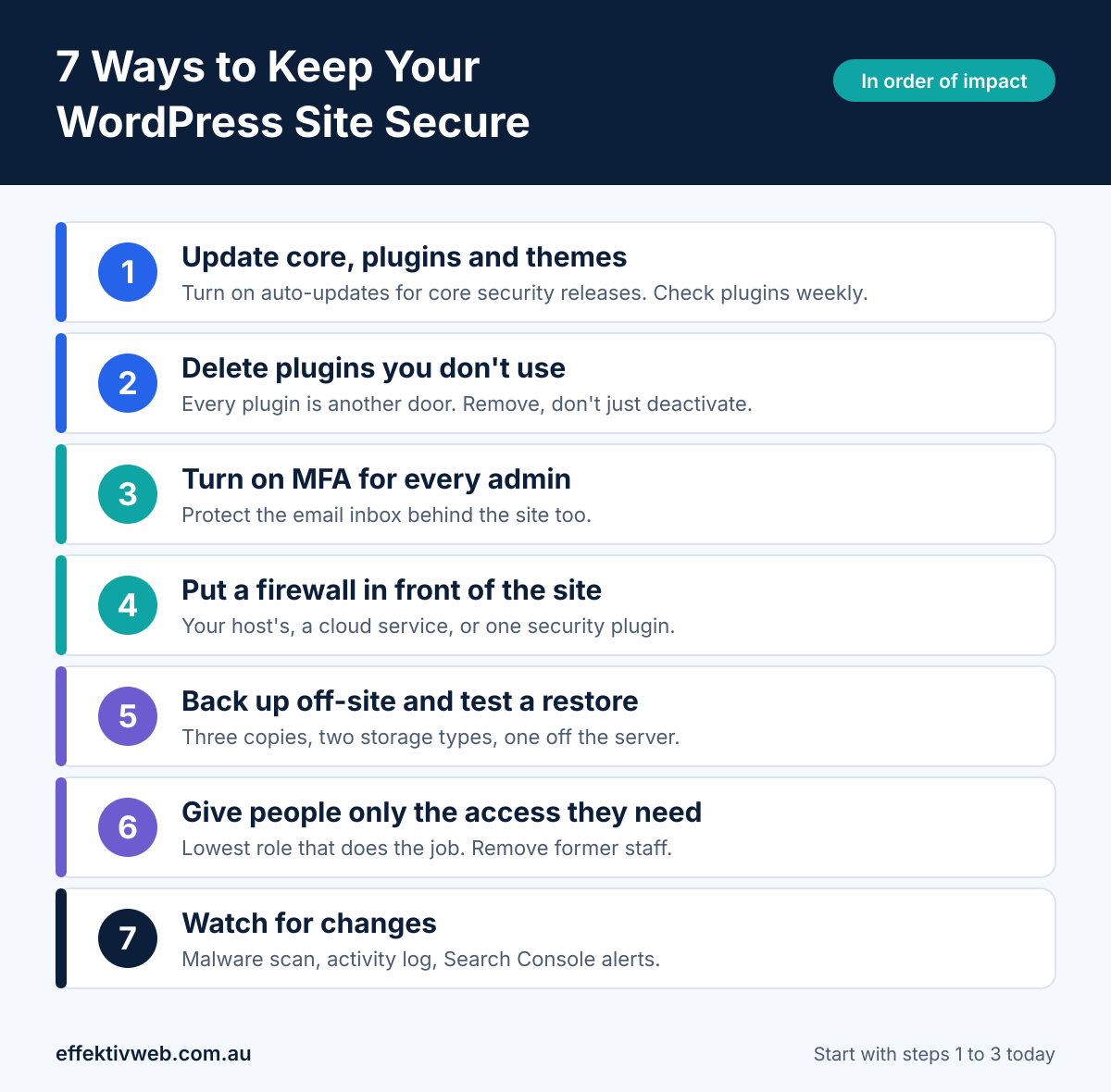
1. Keep core, plugins and themes updated
Turn on automatic updates for WordPress core security releases and check plugins weekly. That's the lesson from wp2shell, disclosed on 17 July 2026 and fixed in WordPress 6.9.5 and 7.0.2. Patchstack's 2026 report puts the weighted median time to first mass exploitation at five hours.
For booking, payment or page-builder plugins, test updates on a staging copy first. WordPress 6.6 added automatic rollback for failed plugin auto-updates, but it won't catch an update that installs cleanly and quietly breaks a feature.
2. Delete plugins you don't use and vet the rest
Every plugin is another door. Patchstack counted 11,334 new WordPress vulnerabilities in 2025, up 42% from 2024, and 91% sat in plugins. Delete inactive plugins and themes instead of just deactivating them. Keep a plugin only if it's updated recently, tested with your WordPress version, and backed by a developer who responds to security reports.
Skip nulled (pirated) copies of premium plugins entirely. Paying doesn't guarantee safety either, because Patchstack notes that premium components get less outside scrutiny. A shorter list won't make a site unhackable, but it shrinks what you have to watch. If that list keeps growing, there's a lower-maintenance option further down.
3. Lock down logins with multi-factor authentication
Use a password manager such as Bitwarden or 1Password, then switch on multi-factor authentication (MFA) for every administrator and editor. The ACSC advises phishing-resistant MFA for administrator accounts, and passkeys are one way to get it, though WordPress support varies by plugin. Retire the admin username and limit login attempts. Then protect the mailbox behind the site. WordPress password resets go to the admin's email, so whoever controls that inbox controls the site.
4. Put a firewall in front of the site
A web application firewall (WAF) filters bad requests before they reach WordPress. You can get one three ways: your host's firewall, a cloud service such as Cloudflare, or a security plugin such as Wordfence or Solid Security. Some firewalls offer virtual patching, which blocks a known flaw before the plugin developer ships a fix. That matters because Patchstack found 46% of vulnerabilities had no patch at public disclosure. The catch is speed. Two heavy firewall plugins on entry-level hosting can slow a site, so run one.
5. Back up off-site and test a restore
Follow the 3-2-1 rule. Keep three copies, on two types of storage, with one copy off the server. At least one copy should sit somewhere an attacker who breaks into your hosting can't reach. Then restore a backup to a staging copy once. A backup you've never restored is a guess, and a hack is a bad day to learn it fails. Backups bring a site back, but they don't close the hole that let the attacker in, so patch before you restore.
6. Give people only the access they need
WordPress has built-in roles, from administrator down to author and subscriber. Give each person the lowest role that lets them do the job, and delete accounts for former staff and contractors. Review the administrator list monthly. An admin you didn't create is one of the most common signs of a hacked site, and a hidden admin account is a known reason sites get re-infected after a cleanup. Limited roles reduce the damage from stolen credentials. They won't stop a flaw like wp2shell, which could create an administrator account without any login.
7. Watch for changes and know your first move
Run a malware scanner with file-integrity checks, add an activity log such as WP Activity Log or Simple History, and check the Security Issues report in Google Search Console. These catch changes you'd never spot by looking at the site. If something looks wrong, put the site in maintenance mode, snapshot the files and database before touching anything, and call your host. Scanners miss some things, so treat a clean result as a good sign, not proof.
Why WordPress sites get hacked in 2026
Most attacks aren't personal. ASD's ACSC describes a large-scale campaign scanning for known, patchable flaws, and its 9 July 2026 alert covers 17 vulnerabilities, mostly in WordPress plugins. Every one has a patch available, yet many small and medium-sized Australian businesses were affected. Automated scanners don't check how big your business is. They check whether your plugin is out of date.
Plugins are the main weak point. Patchstack's 2026 report counts 11,334 new vulnerabilities in 2025 and puts 91% of them in plugins, with very few in core. Nearly half had no fix when they became public.
Core isn't immune, and a hacked site hurts your visitors too. wp2shell chained two core flaws (CVE-2026-63030 and CVE-2026-60137) into a full takeover with no plugin and no login. Separately, the ACSC's 7 May 2026 advisory describes compromised WordPress sites belonging to legitimate Australian businesses. They showed fake verification prompts that tricked visitors into running a command that installs Vidar Stealer. The owner may see nothing wrong while customers get infected.
A lower-maintenance option: EffektAI websites
Most of the work above exists because WordPress runs on a CMS and a stack of plugins. EffektAI Websites takes those out. We design, build and launch your site on AI-optimised hosting, so there’s no CMS login to protect and no plugin queue to patch. Multi-page sites go live in weeks, and we check every change against Google Lighthouse before it’s published. A person on our team directs the work and reviews what goes live.
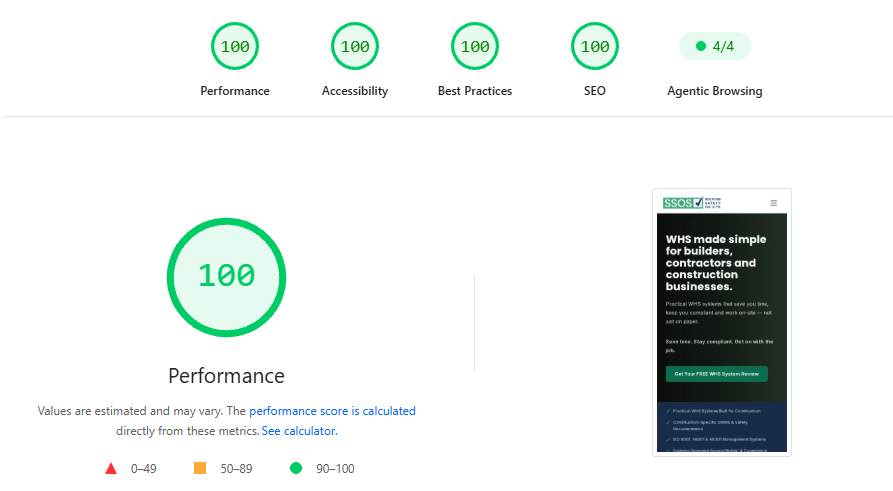
Here’s what that looks like in practice. This is a recent site we built for SSOS, a work health and safety (WHS) business serving builders and contractors. On a mobile Lighthouse test, it scored 100 for Performance, Accessibility, Best Practices and SEO. It also passed all four checks in Agentic Browsing, a newer test of how well AI agents can use a site.
A perfect Lighthouse score isn’t a security audit. But a site with no CMS or plugins gives attackers far less to aim at, and far less for you to keep patched. It won’t suit every site. Larger stores and custom features need scoping first, and you’d still want MFA on your email and domain accounts. If you’re weighing up whether to migrate from WordPress to an AI website platform, we’ll tell you honestly if staying put makes more sense.
FAQ about WordPress security
What are the most common security issues with WordPress?
Outdated plugins and themes cause most of them, followed by weak or reused logins and known flaws that were never patched. Patchstack puts 91% of 2025's new vulnerabilities in plugins. WordPress core is rarely the problem, though wp2shell in July 2026 was a serious exception, which is why updates and a short plugin list come first.
How do I make my website a secure site?
Start with HTTPS, which means a valid SSL certificate on your domain. Many hosts include free certificates through Let's Encrypt. That secures the connection, but not the site itself. For the platform, work through the seven ways above, beginning with updates, a short plugin list and MFA on every admin account.
Is WordPress secure?
WordPress core is generally well maintained, and the security team released patched versions the day wp2shell was disclosed. Most of the risk sits in plugins, so your site's security depends on how well it's looked after. Current updates, a few plugins and MFA close the routes attackers use most. If you'd rather not carry that upkeep, you can migrate to an AI website platform instead.
How do I know if my WordPress site has been hacked?
Common signs are an administrator you didn't create, redirects that appear only when visitors arrive from Google, spam pages in search results, a Google warning and being locked out. Run a malware scan and check the Security Issues report in Search Console. Some hacks stay hidden, so a clean scan isn't proof.
How can I improve my WordPress website security?
Begin with the first three ways. Update everything, delete unused plugins and turn on MFA for every admin and the admin's email. Those cover the most common ways in. Add a firewall, tested backups and monitoring after that. You don't need to do all seven at once, but the order matters.